Client management
Every client’s history in one record.
Visits and attendance, sessions left on a pack, membership status, the signed waiver and your message thread, together. Staff see what their role needs and nothing more.
Will I finally have everything about a client in one place?
The problem
The booking tool knows when they came. The payment tool knows what they bought. The forms tool knows whether they signed. You are the join between them, and you do it from memory.
What you get
One record, one place
- Visit and attendance history, check-ins and no-shows.
- Sessions left on a package, membership status and renewal date.
- The waiver they signed, which version, and a PDF of it.
- Your text and email thread with them, in one inbox.
- Tags and notes, with a CSV export for the owner.
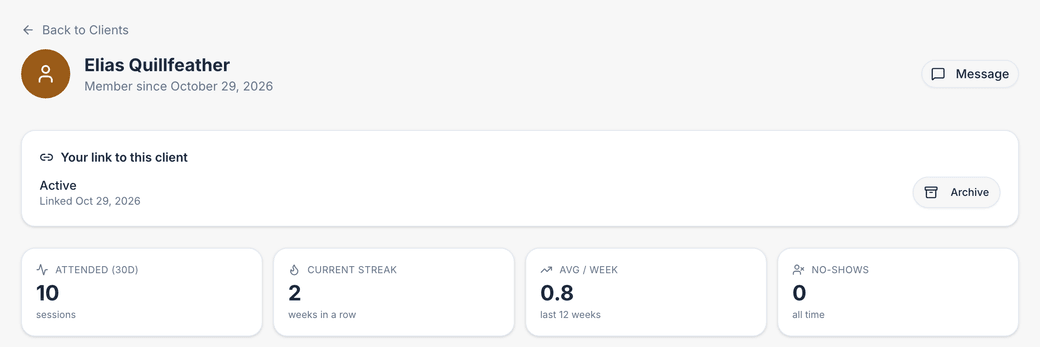
Shown in a demo studio’s own colours, with sample data.
Waivers that are actually enforced.
Enforced in the database, not just on the screen.
- Your own text, typed in or imported from a document, published as a version.
- A typed name and an unchecked box, after scrolling to the end. Signatures record the exact text signed.
- Nobody is booked without a signed waiver, and that includes bookings your staff make.
- A new version re-prompts every client at their next booking. Old signatures are kept.
- Guests can reserve a class first and are stopped at check-in until they sign.
What your clients see.
Their own app, with your name on it.
- An installable app with your name, icon and colours, and push notifications for reminders and confirmations.
- Their bookings, packs, memberships, cards on file, receipts and signed documents.
- Their notification preferences, which they control.
- Optional details you ask for at sign-up, with their consent, visible only to your staff and deletable by them at any time.
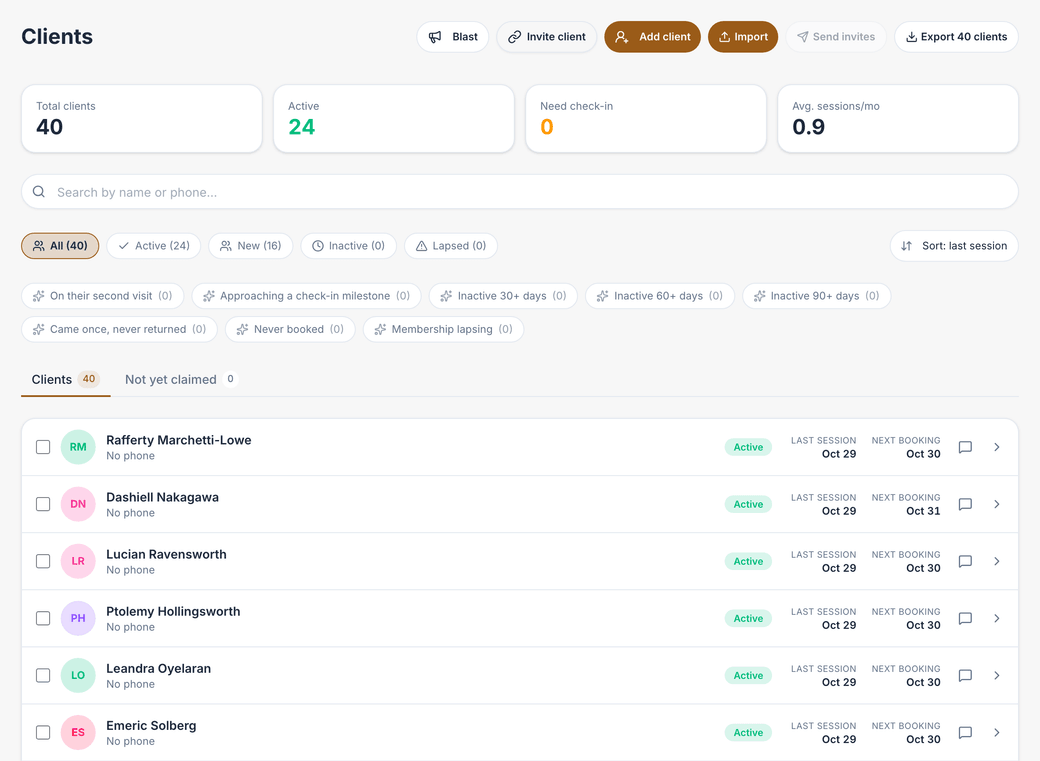
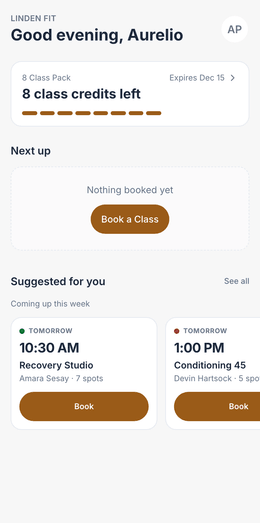
Shown in a demo studio’s own colours, with sample data.
Staff access.
Roles with real boundaries.
- Owner, admin, manager, front desk and instructor roles, enforced in the database.Starter and up
- Instructors see their own sessions and rosters. Money, payouts, refunds and reports stay with the owner.
- Front desk checks people in, takes a walk-in and a signed waiver at the counter, and records the payment.
- Permissions per role are fixed today.
Where it starts.
- Client records, waivers, client app, client importSolo and up
- Staff accounts and rolesStarter and up
- Two-way inbox and leads boardGrowth and up
Be one of the first 25.
Founding 25 · every feature from $39/mo · Limited to 25 businesses · closes Jan 31, 2027
No mail app? Email us at
Use the subject “Founding 25 application” and include your name, business name, business type, number of booking staff and current software.